

Building a website with today’s AI tools isn’t as tough as it used to be. You don’t need to be a tech wizard—most of the heavy lifting gets done by smart software. The trick is to pick the right tool from the jump and keep your goals clear. Good sites come from making solid choices, not shortcuts or shiny features. While technology handles the basics, you’re free to focus on what really matters. And honestly, some of the best touches come from small tweaks near the end.
How do AI tools help build websites?
AI can lend a hand with all kinds of things: writing code, laying out pages, or giving you content suggestions that actually work. This frees you up to pay attention to your message, not just the technical hurdles. These tools fine-tune layouts so visitors don’t get lost, and search engines spot the important stuff right away. Get things right from the start, and you won’t have to double back later.
Getting Started: Key AI Tools and Their Uses
To make sense of the options, here’s a simple table outlining some popular AI website-building tools, what they excel at, and best use cases:
| AI Tool | Main Features | Best For |
| Wix ADI | Automatic design generation, content suggestions, drag-and-drop editor | Beginners who want quick setup and easy customization |
| Bookmark AiDA | AI design assistant, real-time editing, e-commerce support | Small businesses and individuals wanting sleek, functional sites |
| The Grid | AI-driven design and layout, adaptive to content changes | Creative professionals looking for unique and adaptive designs |
| Firedrop | Chatbot interface for building sites, personalized design | Users who prefer conversational, guided website creation |
Additional AI Website Builders to Explore
| Website | Key Features | Ideal For |
| Lovable | AI-driven design, personalized branding, user-friendly interface | Creators and entrepreneurs looking for a warm, approachable website style |
| Zyro | AI content generator, heatmap tool, drag-and-drop builder | Small businesses and freelancers wanting quick, effective websites |
| Jimdo | AI website creation, SEO tools, e-commerce capabilities | Individuals and small shops needing simple but powerful web solutions |
| Site123 | Automated layout suggestions, multilingual support, easy editing | Users needing fast websites with global reach |
How to get the most out of AI website builders
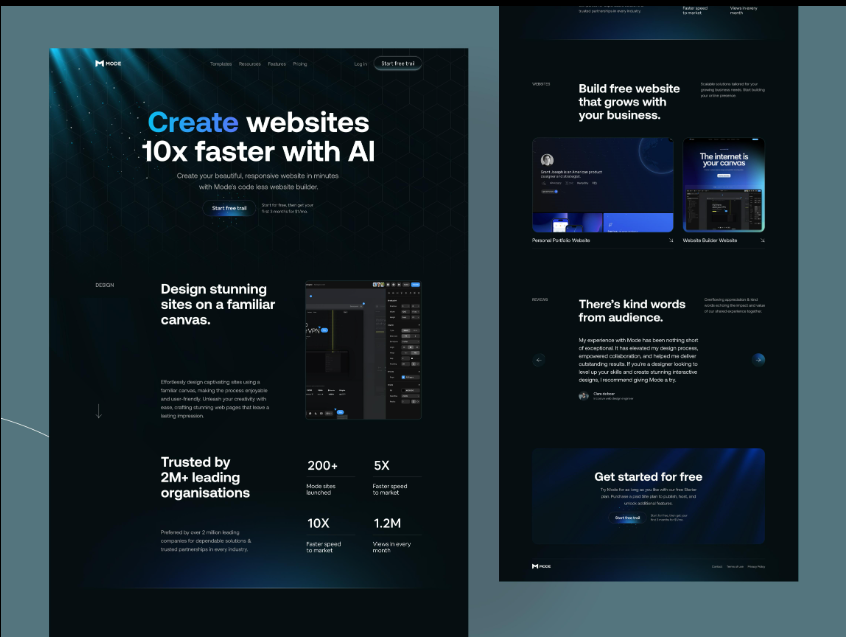
Just hitting “go” after picking an AI tool only gets you part of the way. To really get value, keep these tips in mind—they come from experience, not just the marketing pitch:
- Lock down your main goal first. What exactly do you want the site to do? Once that’s settled, the AI can offer better ideas. Clear direction means fewer detours.
- Use AI’s first draft as a launch pad. Change colors, swap fonts, and add images until the site feels like it fits your style.
- Check out built-in AI writing tools. They often suggest ways to sharpen your words and reach more readers, especially with search engines. Always keep your unique tone—let the tool help, but don’t lose your voice.
- Have someone else look at your site. Honest feedback from coworkers or friends can reveal surprises and help catch things you might miss. Small adjustments after that make a big difference.
- Keep your eyes open for new features. AI tools change often, rolling out updates without warning. Stay alert so your site keeps up.
Bringing creativity and AI together
AI can handle all the routine stuff. The magic comes from you—your ideas and personal touch create something visitors actually remember. Think of it like this: the system takes care of logistics, you make it real and inviting.
How it all works—steps to building a site with AI
Building a site with AI breaks down into a handful of clear steps:
- Decide what you want your website to achieve. AI tools suggest templates based on your purpose and audience.
- Choose the right AI website builder according to your needs and preferred features.
- Start the AI generation process to create layouts, colors, and website structure automatically.
- Customize every section to match your own style and branding.
- Use AI tools for quick drafts, SEO suggestions, and content improvements.
- Edit the generated content so the website sounds natural and unique to you.
- Test the website using AI suggestions and real user feedback before launch.
- Improve the website by fixing issues and making small adjustments based on feedback.
- Monitor website performance regularly and continue updating content and features over time.
FAQ: Building websites with AI tools
Are there AI website builders for beginners?
Definitely. Most are made to guide newcomers step by step, so the process feels more like a conversation than computer programming. How easy it feels depends mostly on how clear your ideas are upfront.
Can I customize designs made by AI?
Absolutely. Change colors, swap out fonts, adjust layouts, and fine-tune content until it’s exactly how you want it. The tools are meant for that.
Will my AI-made website do well on search engines?
A lot of AI tools build in features to help with SEO, like smart tagging and site speed boosts. They recommend keywords and even handle behind-the-scenes details, so your site’s easier to find from the start.
What skills do I need to keep my AI-built website updated?
Simple fixes and updates are usually straightforward. For bigger changes, it does help to know your way around the tool a bit.
Are AI-built websites safe?
Top-tier AI website platforms put a lot of effort into security. They update protections regularly and handle data carefully, so your site stays safe by default.
In the end, starting your site with AI doesn’t mean losing your vision. It means you don’t have to fight with code or get lost in complicated settings. Whether you’re creating something from scratch or growing what you already have, AI is on your side—helping you build a site that actually feels like yours.